Every time you upload a proprietary lead list, customer CSV, or candidate database to a traditional Email Service Provider (ESP), you are handing over your most valuable business assets to a third-party server. This creates immediate compliance liabilities, data breach risks, and vendor lock-in.
SendGM fundamentally flips this model. By leveraging modern client-side JavaScript architecture, SendGM allows you to execute highly personalized bulk email merges without ever transmitting your contact data to an external database.
Here is exactly how SendGM’s zero-data architecture works, why it matters for your deliverability, and the high-ROI campaigns you can execute with it.
1. The Zero-Data Architecture: How It Works
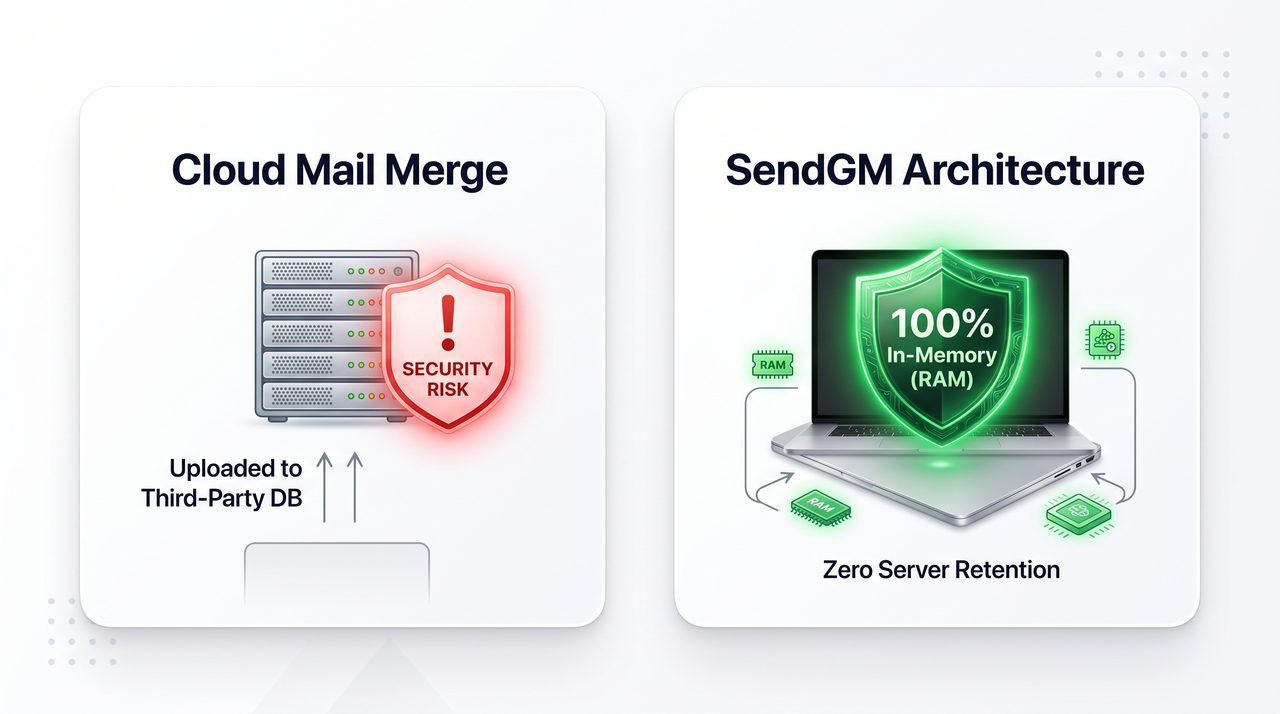
Traditional mail merge extensions and marketing platforms operate on a Cloud-Processing Model: You upload your CSV, the platform stores it in their backend database, processes the merge tags on their servers, and dispatches the emails.
SendGM operates entirely on a Local Browser-Native Model:
1. In-Browser CSV Processing
When you drag and drop your contact spreadsheet into SendGM, the file is parsed using your browser’s local local memory (RAM). The data extraction, column mapping, and dynamic variable formatting ({{First Name}}) happen 100% locally.
2. No Database Breach Risk
Because SendGM lacks a backend contact database, there is nothing for hackers to breach. Your proprietary sales lists and client rosters never leave your device. The moment you close or refresh your browser tab, the temporary working data is instantly and permanently erased.
3. Native Compose, No Injected Tracking Pixels
Most marketing tools secretly inject 1x1 tracking pixels and rewrite your URLs to track open and click rates.
- The Problem: Google and Apple heavily scrutinize these tracking pixels, often routing emails containing them directly to the Promotions or Spam tab.
- The SendGM Solution: SendGM launches pre-filled native Gmail compose windows directly via browser URI protocols. No tracking pixels are injected, no bulk headers are added, and your message remains purely plain-text—guaranteeing the highest possible Primary Inbox placement.
2. Simplifying GDPR & CCPA Compliance
Data privacy regulations like GDPR (Europe) and CCPA (California) impose strict rules on how you transfer and store personal identifiable information (PII).
When using legacy ESPs, you must sign Data Processing Agreements (DPAs) and track where the vendor’s servers are located. With SendGM, because the data never leaves your local machine and messages are dispatched directly through your authenticated Google session, your compliance footprint remains entirely within your existing Google Workspace security umbrella.
3. Powerful Use Cases You Can Achieve with SendGM
By combining client-side privacy with zero monthly subscription fees, SendGM unlocks several high-value workflows for founders, recruiters, and sales professionals.
1. B2B Cold Prospecting
Cold outreach requires a delicate, human touch. Blasting 500 prospects from a Mailchimp server will immediately land you in spam. With SendGM, you can map custom variables (e.g., referencing a prospect’s recent company funding round) and launch each email individually through your Gmail account.
- The Result: The recipient sees a standard 1-to-1 email from your professional address, completely indistinguishable from a manually typed message.
2. Beta User Invites & Product Launches
When launching a new SaaS tool or community, you need to invite early waitlist signups. Paying $50/month for a dedicated email marketing tool just to send one batch of beta invites is a waste of capital.
- The Result: Drop your waitlist CSV into SendGM, use smart fallbacks like
{{First Name|there}}, and seamlessly dispatch 300 personalized invites for free directly from your founder email address.
3. Recruitment & Talent Sourcing
Recruiters handle highly sensitive data, including candidate salaries, current employers, and personal contact details. Uploading this to random Chrome extensions violates basic data hygiene.
- The Result: Source candidates securely. Use SendGM to draft personalized pitches referencing a candidate’s specific
{{Current Role}}at{{Current Company}}without exposing their data to third-party databases.
4. Community & Client Updates
Agencies, freelancers, and community managers frequently need to update a roster of 100 to 500 active clients about policy changes, invoice schedules, or project statuses.
- The Result: Send clean, text-based updates that bypass the Promotions tab and command attention, ensuring critical updates are actually read by your clients.
Frequently Asked Questions
If SendGM doesn’t store data, how do I save my email templates?
SendGM is designed as a lightweight, launch-and-go workspace. Because it does not require user accounts or cloud storage, it does not save your templates on a backend server. We recommend drafting your master templates in a local notes app or Google Doc and pasting them into SendGM when you are ready to dispatch your CSV.
Can SendGM track my open and reply rates?
No. To track open rates, a platform must inject a tracking pixel and route the ping back to a central server. Because SendGM is a zero-data, privacy-first tool, it does not inject tracking scripts. You track replies the natural way: by seeing who responds directly to your Gmail inbox.
Does SendGM read my existing Gmail inbox?
Absolutely not. SendGM does not use Google OAuth tokens to read, monitor, or access your inbox history. It simply uses standard browser URI protocols to open a new “Compose” tab with your drafted text already filled in. It is a one-way outgoing trigger with zero read-access.