While GMass is an established Chrome extension for Gmail mail merges, its monthly pricing plans range from $25/mo to $55/mo per user. For founders, freelancers, sales reps, and creators managing direct outreach, recurring software fees and invasive browser permissions present major friction points. SendGM provides a modern, browser-native alternative engineered for 100% client-side privacy, zero extension bloat, and zero monthly subscription costs.
1. GMass vs SendGM Feature Breakdown
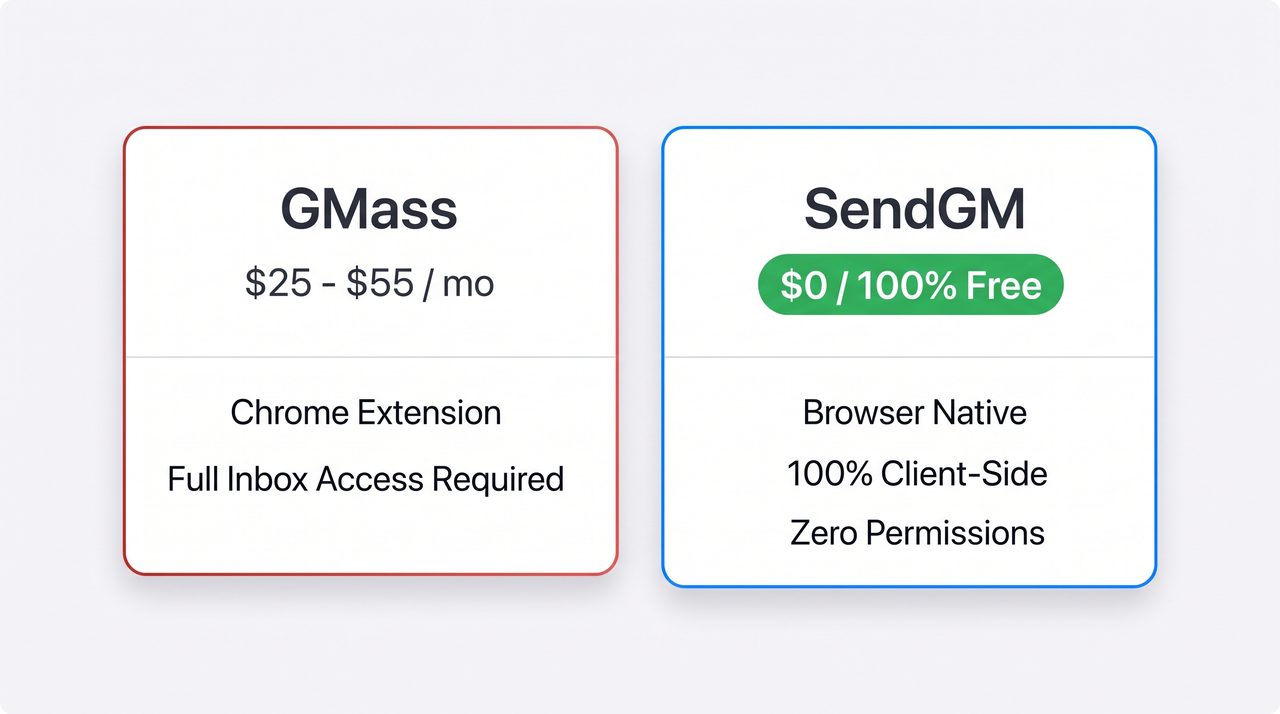
| Feature | GMass | SendGM |
|---|---|---|
| Monthly Pricing | $25 – $55 / month per user | $0 / 100% Free |
| Architecture | In-Browser Chrome Extension | Browser-Native Web Application |
| Permission Scope | Full read/write inbox access | Zero Inbox Permissions Required |
| Data Storage | Stores campaign metadata on remote servers | 100% Client-Side In-Memory Processing |
| Contact Import | Requires Google Sheets OAuth linkage | Direct Drag-and-Drop CSV Parsing |
| Personalization Engine | Standard merge tags | Interactive Tags with Fallback Syntax |
| Email Dispatch | In-box background automation | Direct Native Compose Launcher |
| Account Setup | Multi-step extension & account authentication | Instant — No Account Required |
2. No Invasive Chrome Extension Permissions
Standard mail merge extensions inject background scripts into your browser sessions, requiring blanket permissions to read your emails, monitor contacts, and access browsing data.
SendGM operates as an isolated web workspace:
- No Background Extension Scripts: You do not need to install third-party add-ons that consume browser memory or expose your system to extension vulnerabilities.
- Zero Inbox Interception: SendGM never requests OAuth tokens to scan, read, or catalog your private Gmail threads.
- Native URI Handlers: Dynamic mail merges launch straight into secure, official Gmail compose tabs through direct browser protocols.
3. 100% Client-Side Data Privacy
Uploading proprietary lead lists, client rosters, or investor databases to external servers introduces regulatory exposure and compliance risks under data privacy frameworks like GDPR and CCPA.
SendGM parses your spreadsheets directly in volatile browser memory using client-side JavaScript APIs:
- Zero Remote Database Retention: Your CSV records, customer names, custom columns, and message drafts are never transmitted to or stored on backend database servers.
- Instant Session Purge: The moment you refresh or close the browser tab, all contact rows and draft states are completely cleared from memory.
- Isolated Environment: Your outreach data remains strictly between your local computer and your authenticated Google session.
4. Frictionless CSV Import with Dynamic Fallbacks
Many legacy tools force you to upload contacts to Google Drive, format rigid Google Sheets columns, and link cloud permissions before drafting a single message. SendGM simplifies campaign preparation into an interactive browser workflow.
- Drag-and-Drop Parsing: Drop any standard
.csvfile directly into the interface. Column headers are automatically detected and mapped to merge tags. - Smart Fallback Handling: Missing data points won’t break your personalization. Syntax like
{{First Name|there}}dynamically renders as “Hi Alex” when the name exists, or falls back seamlessly to “Hi there” when the column is blank. - Real-Time Row Preview: Cycle through individual contact records to verify tag replacement, text spacing, and fallback behavior before launching your emails.
5. How to Send a Mail Merge in 3 Simple Steps
- Load Your Spreadsheet: Drag and drop your
.csvfile containing recipient email addresses and custom variables. - Draft Your Template: Write your subject line and email body, inserting personalized tags (
{{Company}},{{First Name}},{{Custom Note}}) as needed. - Dispatch to Gmail: Review individual row previews and trigger native Gmail compose tabs with pre-populated, fully personalized messages ready for sending.
6. Understanding Native Gmail Sending Limits
SendGM does not route your emails through unverified third-party SMTP servers. Because messages originate directly from your authenticated Google account, your sending volume is governed by standard Google limits:
- Personal Gmail Accounts (
@gmail.com): Up to 500 emails per rolling 24-hour window. - Google Workspace Accounts (Custom Domains): Up to 2,000 emails per rolling 24-hour window.
Sending directly through Google’s native infrastructure ensures your messages maintain your established sender reputation without being flagged by third-party routing anomalies.
Frequently Asked Questions
Is SendGM really completely free?
Yes. SendGM is free to use with no monthly subscription tiers, credit limits, or hidden fees.
Do I have to log in or create an account?
No account creation is required. You can load the web app, import your contact list, and begin drafting immediately.
Can SendGM access or read my previous email threads?
No. Because SendGM runs as a standalone web application rather than an inbox overlay or API crawler, it has zero access to your historical emails, inbox folders, or private messages.
Does using SendGM improve email deliverability?
Because SendGM launches native Gmail compose sessions, your emails carry the exact authentication headers (SPF, DKIM, DMARC) of your active Google account, eliminating deliverability drops caused by unauthorized relay servers.